Features
Every part of your school, in one place
SchoolEasy runs admissions, teaching, assessment, attendance, fees, and communication for owners, admins, teachers, students, and parents. Every screen below is the real product.
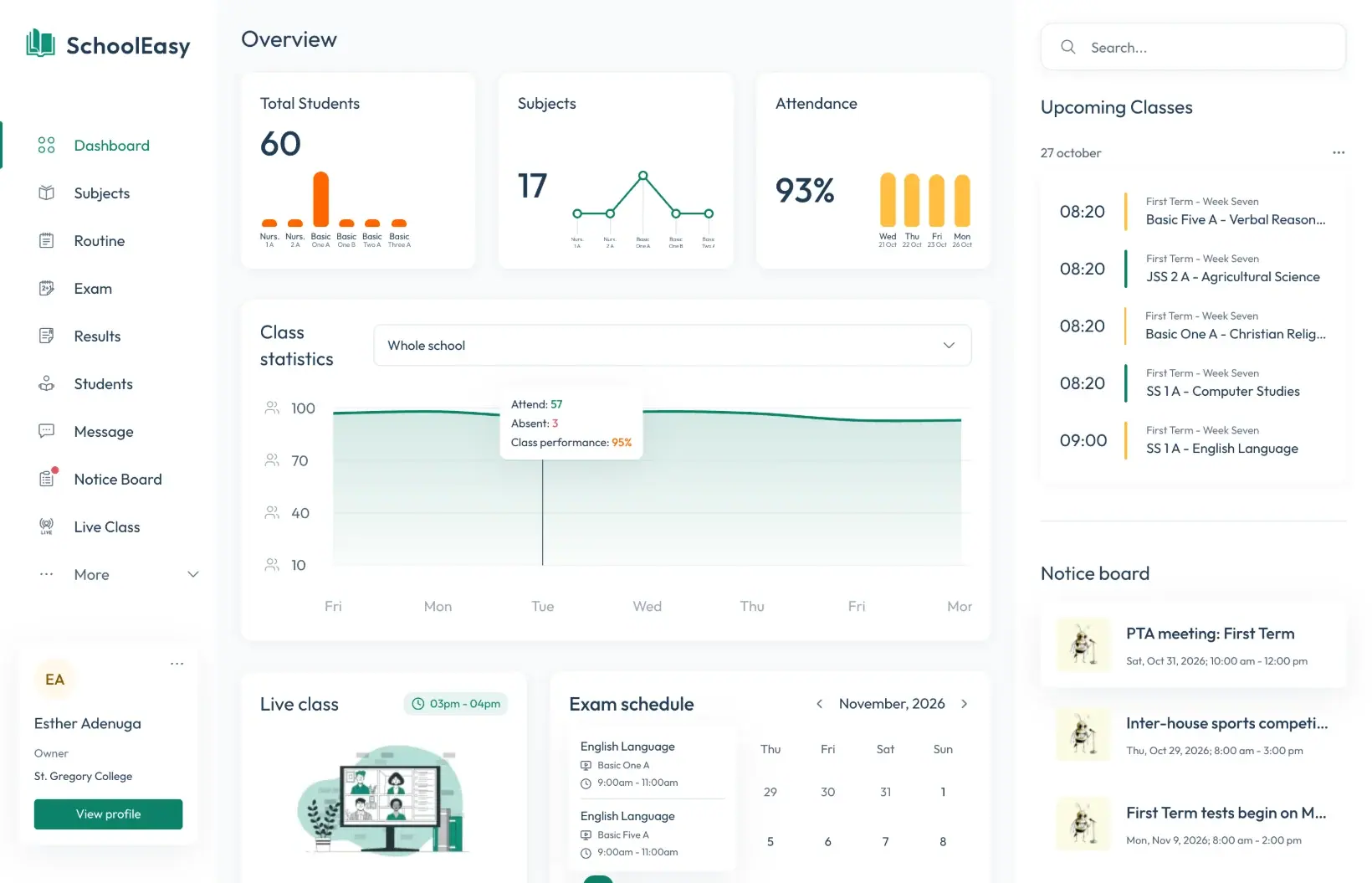
School overview
Owners and admins open SchoolEasy to a live picture of the school: enrolment, subjects, attendance, class performance, upcoming classes, the exam calendar, and the latest notices.
- Attendance and performance by class
- Today’s timetable and exam calendar
- Notices and live classes at a glance
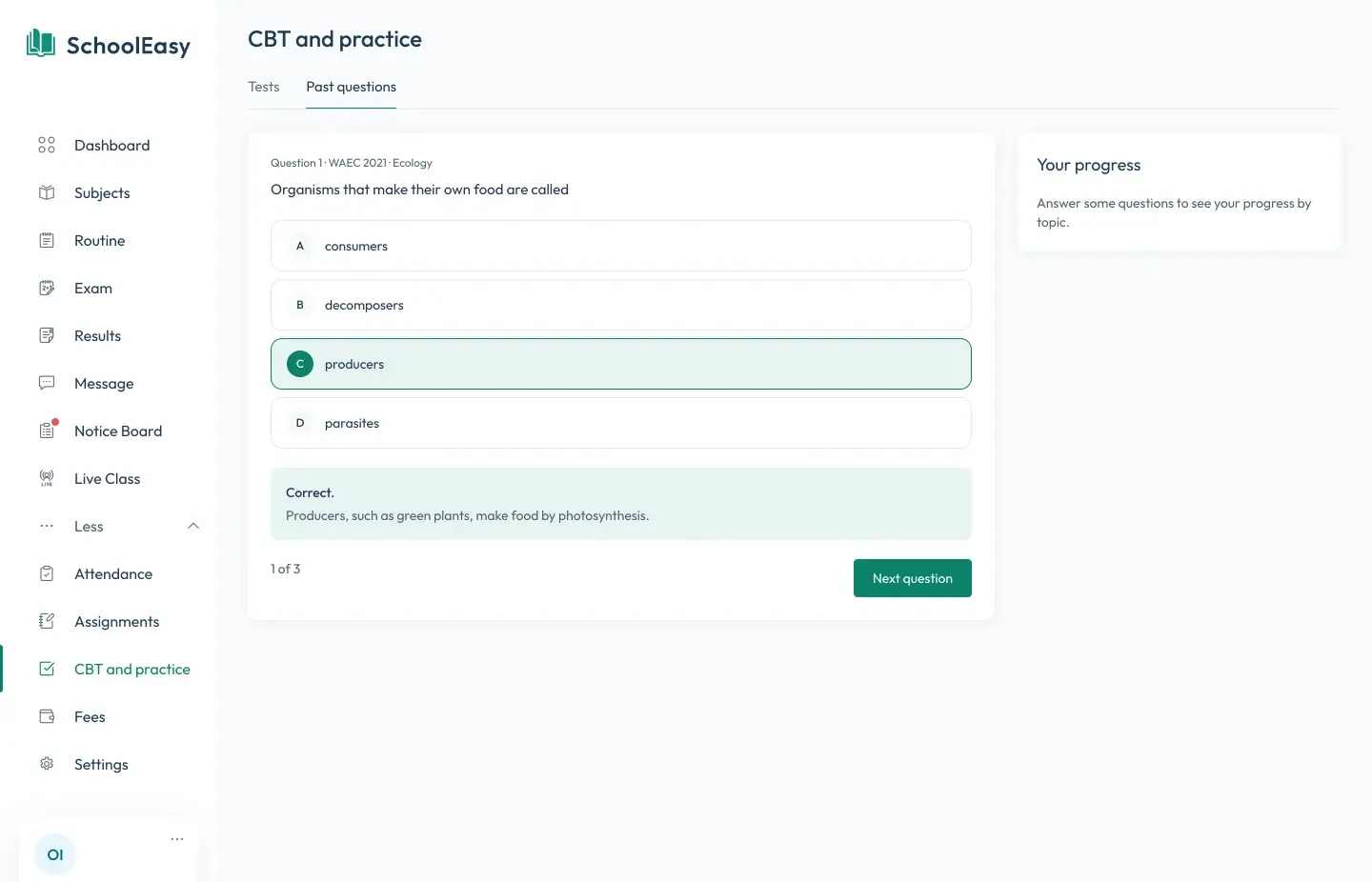
CBT and WAEC and JAMB past questions
Teachers set timed computer-based tests that mark themselves. Students practise WAEC and JAMB past questions by subject, year, and topic, and see their progress by topic.
- Timed tests with automatic marking
- WAEC and JAMB past questions by year and topic
- Progress by topic for every student
Lesson notes
Teachers write weekly lesson notes for each subject and class, attach files, and share them with students and parents. Heads of school see every note in one place.
- Notes by term, week, subject, and class
- Attachments such as PDFs and images
- Shared with students and parents

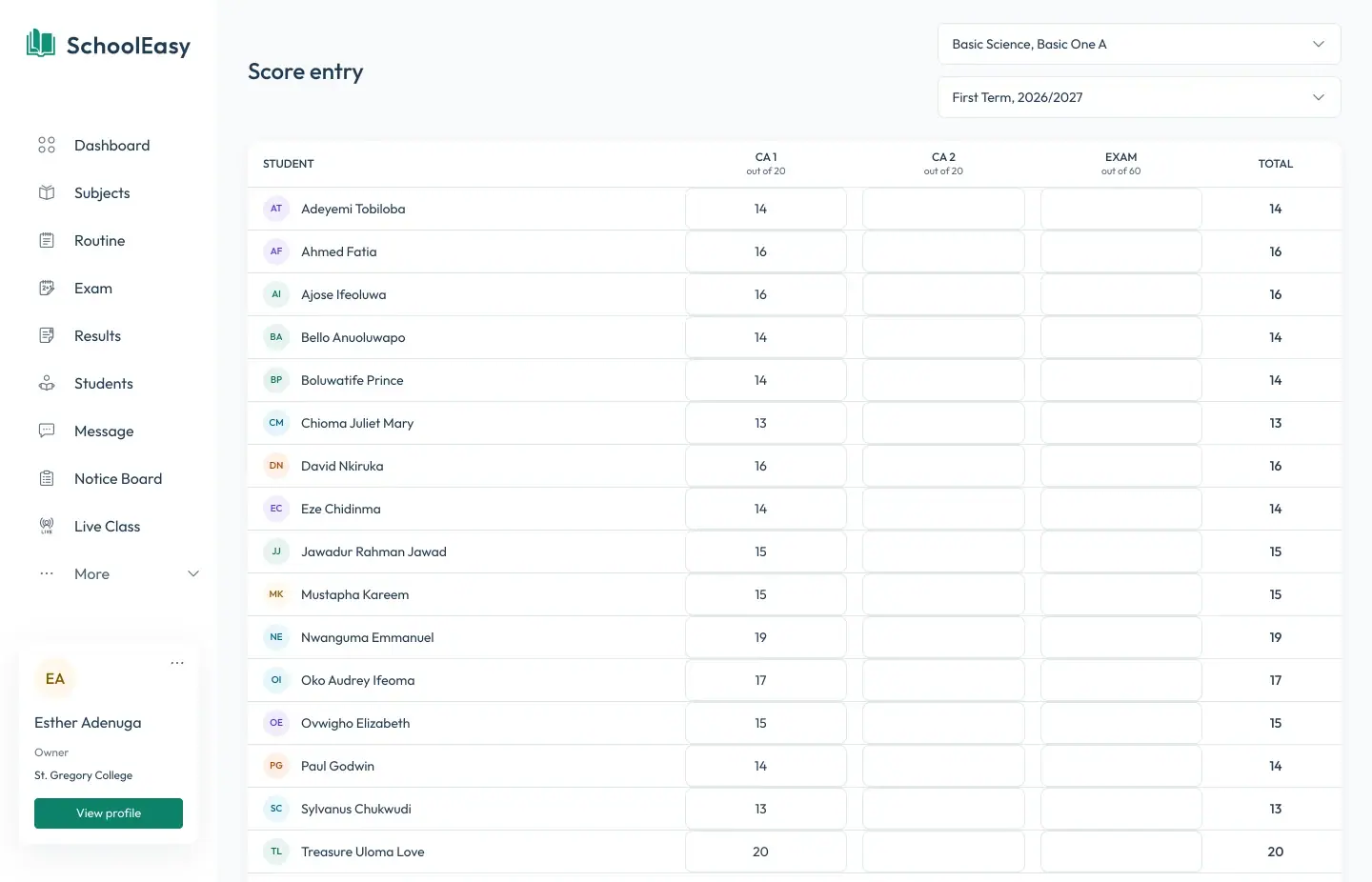
Results and report cards
Teachers enter continuous assessment and exam scores. SchoolEasy grades them, ranks each class, and produces report cards you can print or publish to parents.
- CA and exam score entry by class
- Grades, averages, and class positions
- Report cards as PDF, published to parents
Attendance texts to parents
Form teachers take the register in seconds. When a student is marked absent, their parents get a text message and a notification in the parent app straight away.
- Daily registers by class
- SMS and app alerts for absences
- Attendance summaries by month
SchoolEasy
Tue, 13 Oct
Absent today: Chidi Okafor was marked absent on 2026-10-13.
Today 8:47
Absent today: Chidi Okafor was marked absent on 2026-10-27.
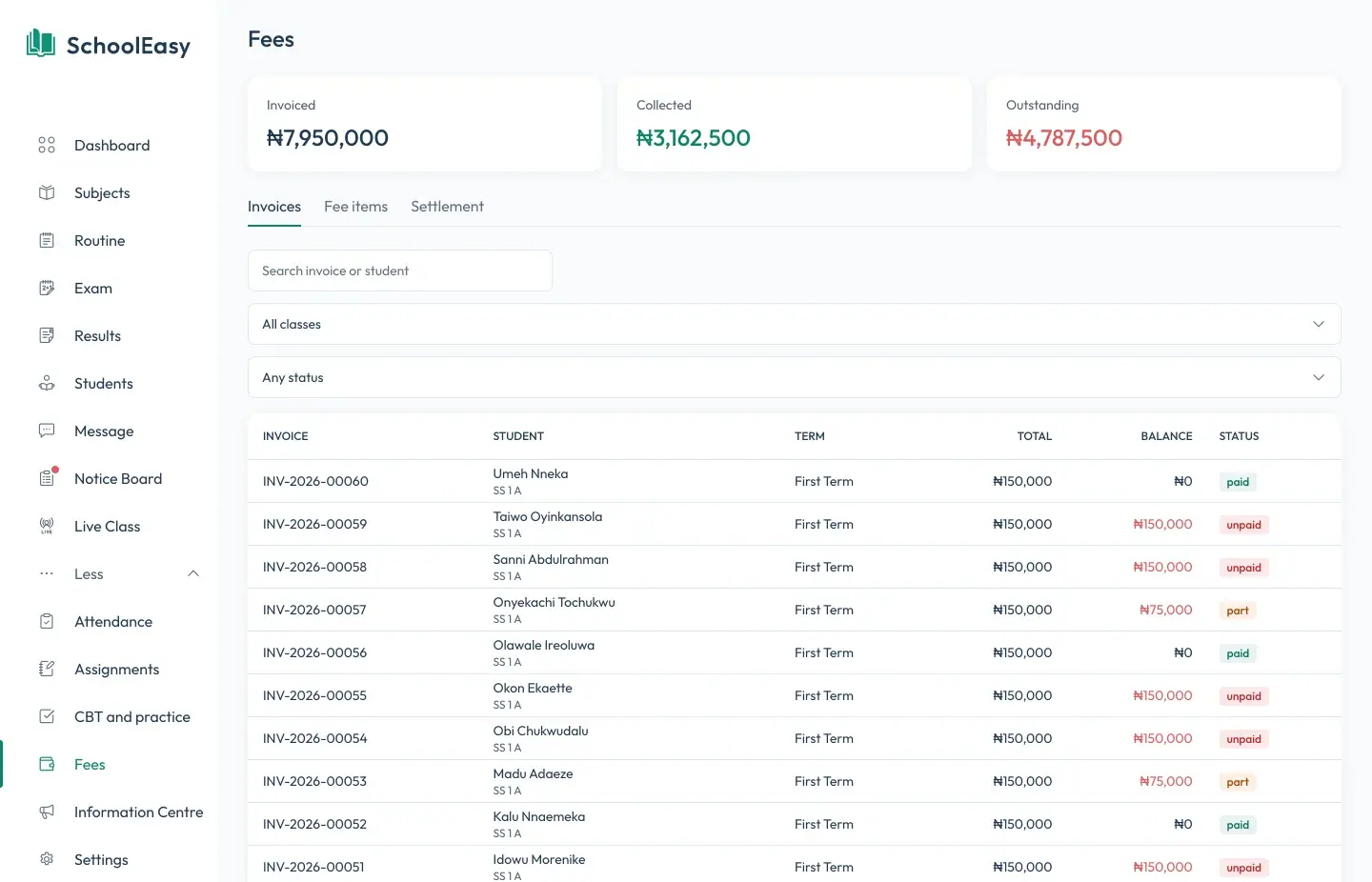
Fees with Paystack
Set fee items for each class and term, issue invoices, and track what’s collected and outstanding. Parents pay by card or bank transfer through Paystack, and payments reconcile on their own.
- Fee items, invoices, and receipts
- Card and bank payments through Paystack
- Collected and outstanding totals
Parent app
Parents follow each child’s attendance, timetable, lesson notes, and report cards, pay fees, read notices, and message teachers from one app.
- One sign-in for every child
- Pay fees and download report cards
- Message teachers and read notices
Good morning
Mrs Okafor
Attendance
96%
Position
3rd
of 32 in JSS 2 A
Today’s classes
Ministry information centre
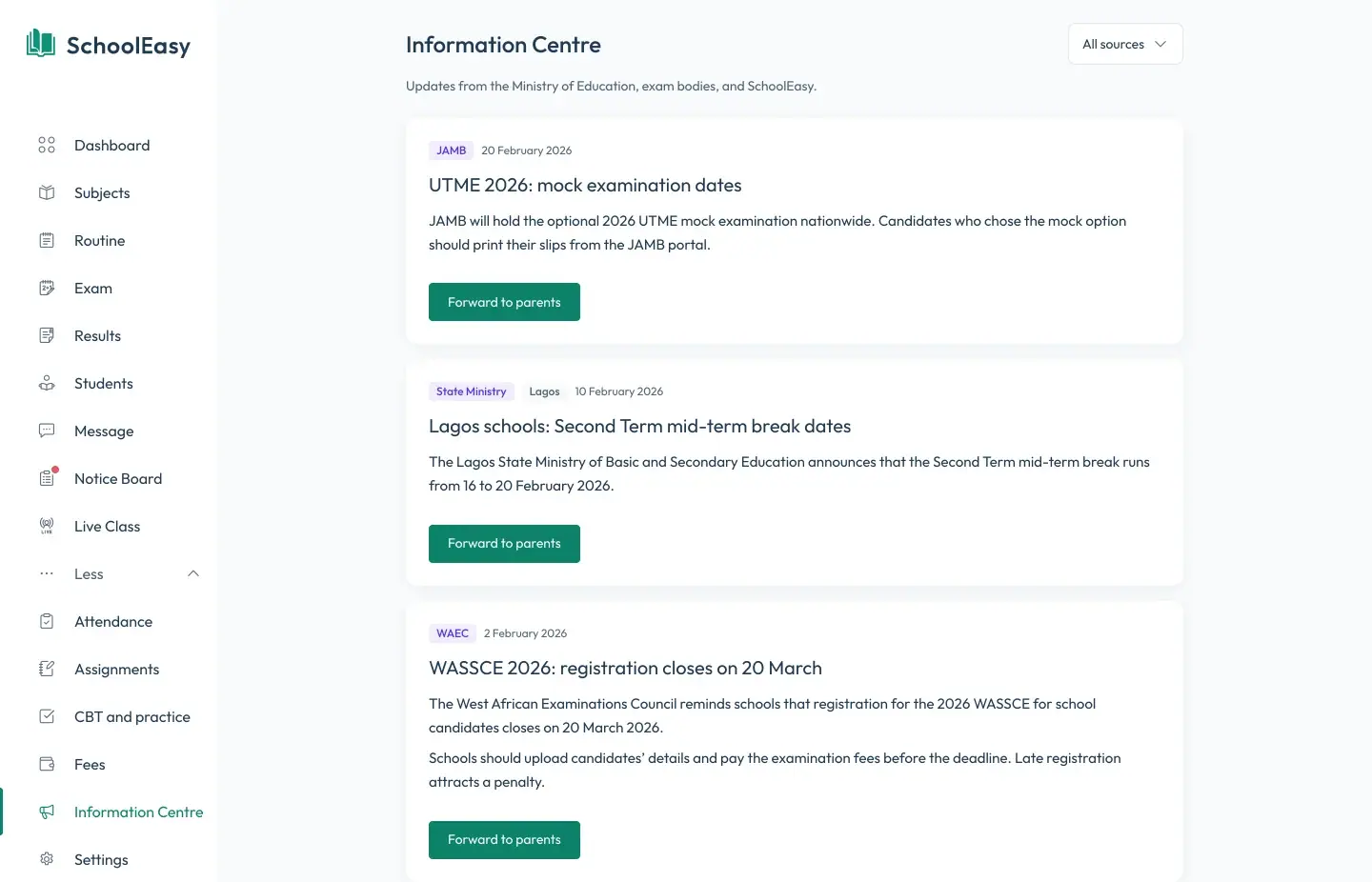
Updates from the Ministry of Education, exam bodies, and SchoolEasy arrive in one feed. Forward any update to your parents in one click.
- State Ministry, WAEC, and JAMB updates
- Filter by source
- Forward to parents in one click
Timetables and exam schedules
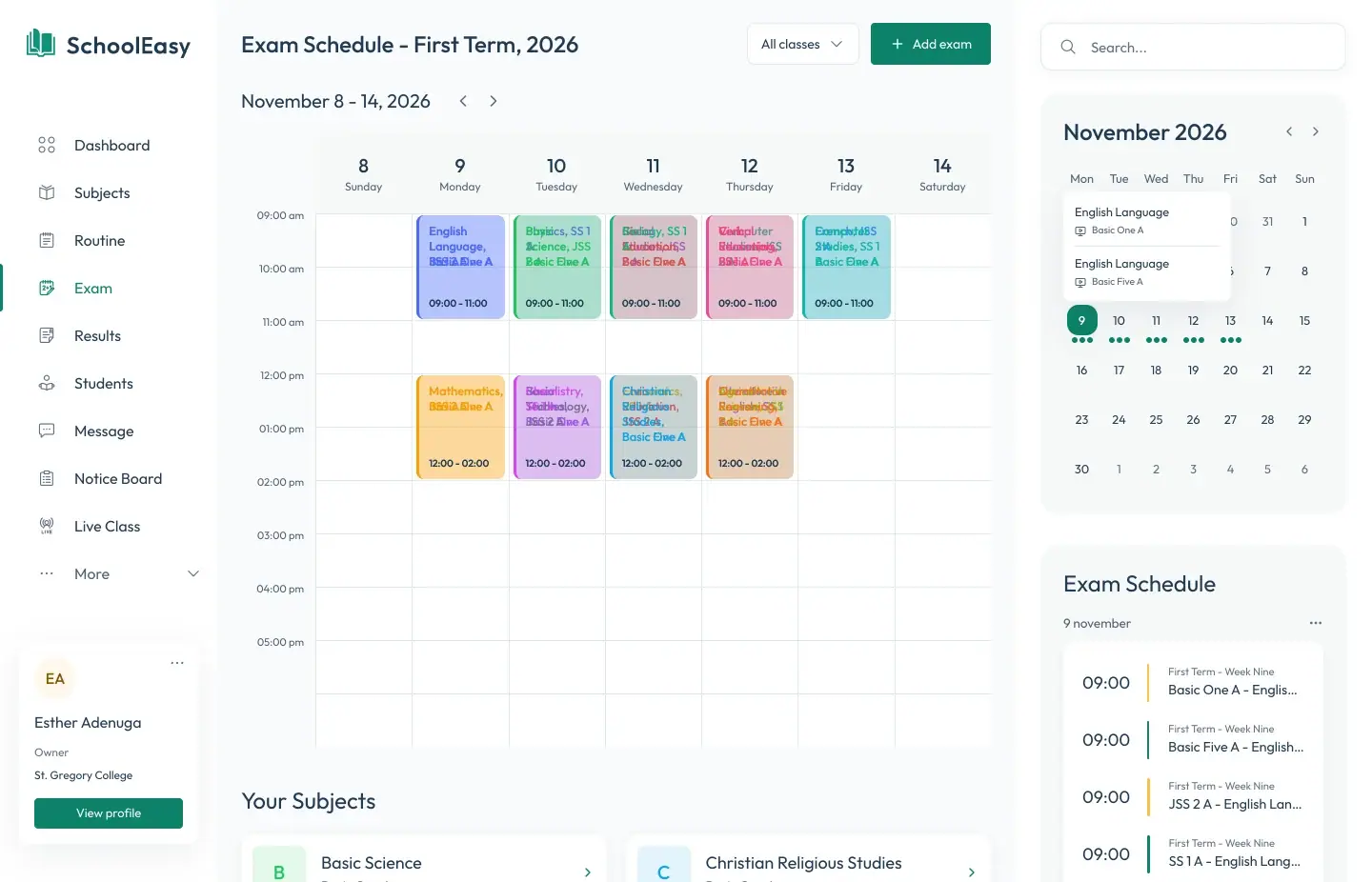
Build each class’s weekly routine and the term’s exam schedule. Teachers, students, and parents see the parts that concern them.
- Weekly routine by class
- Exam schedule with rooms and times
- Upcoming classes on every dashboard
Students, staff, and parents
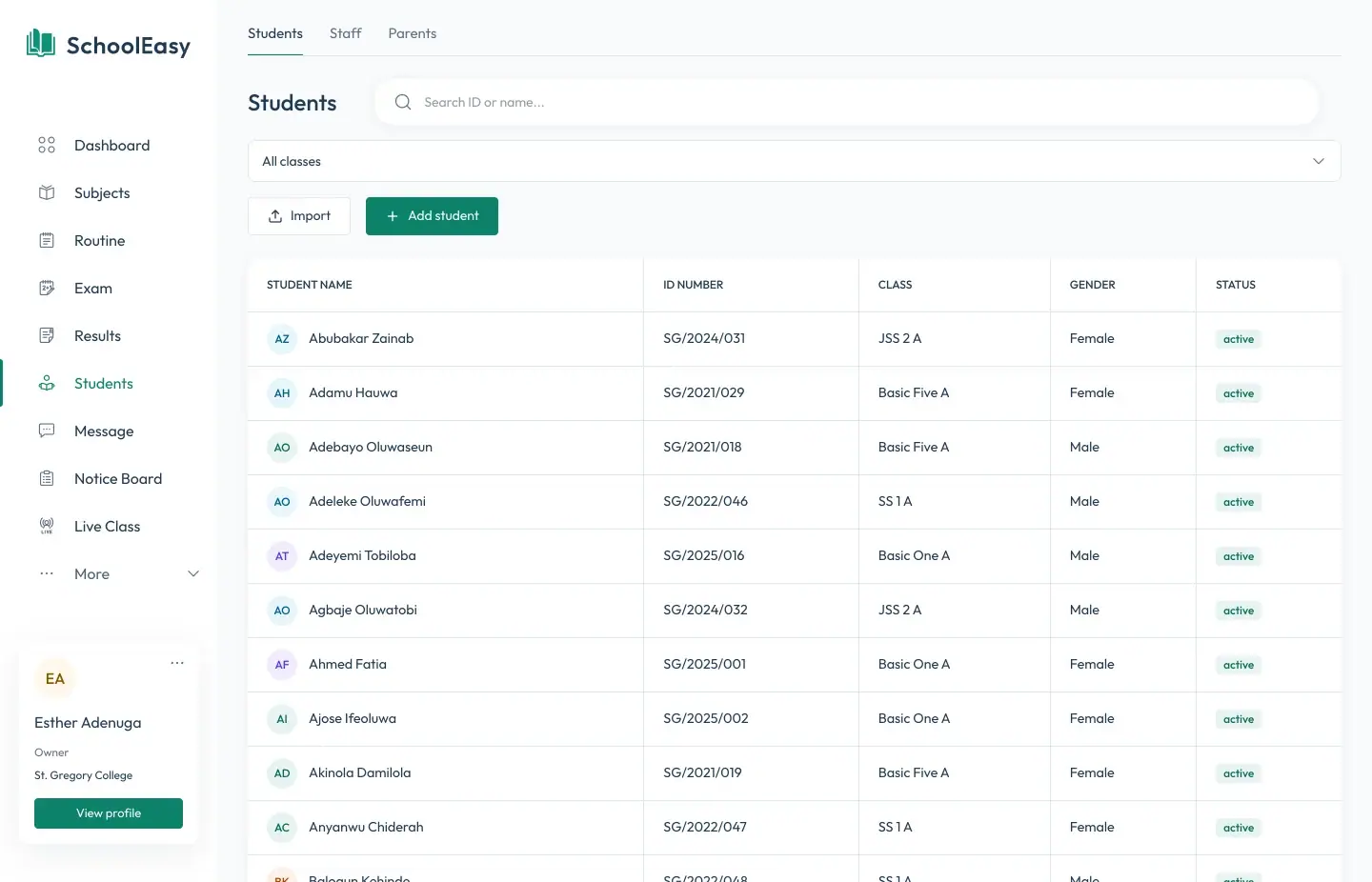
Admit students, link them to their parents, and keep staff records, all with the right access for each role.
- Admissions and class placement
- Parents linked to each child
- Role-based access for staff
Assignments
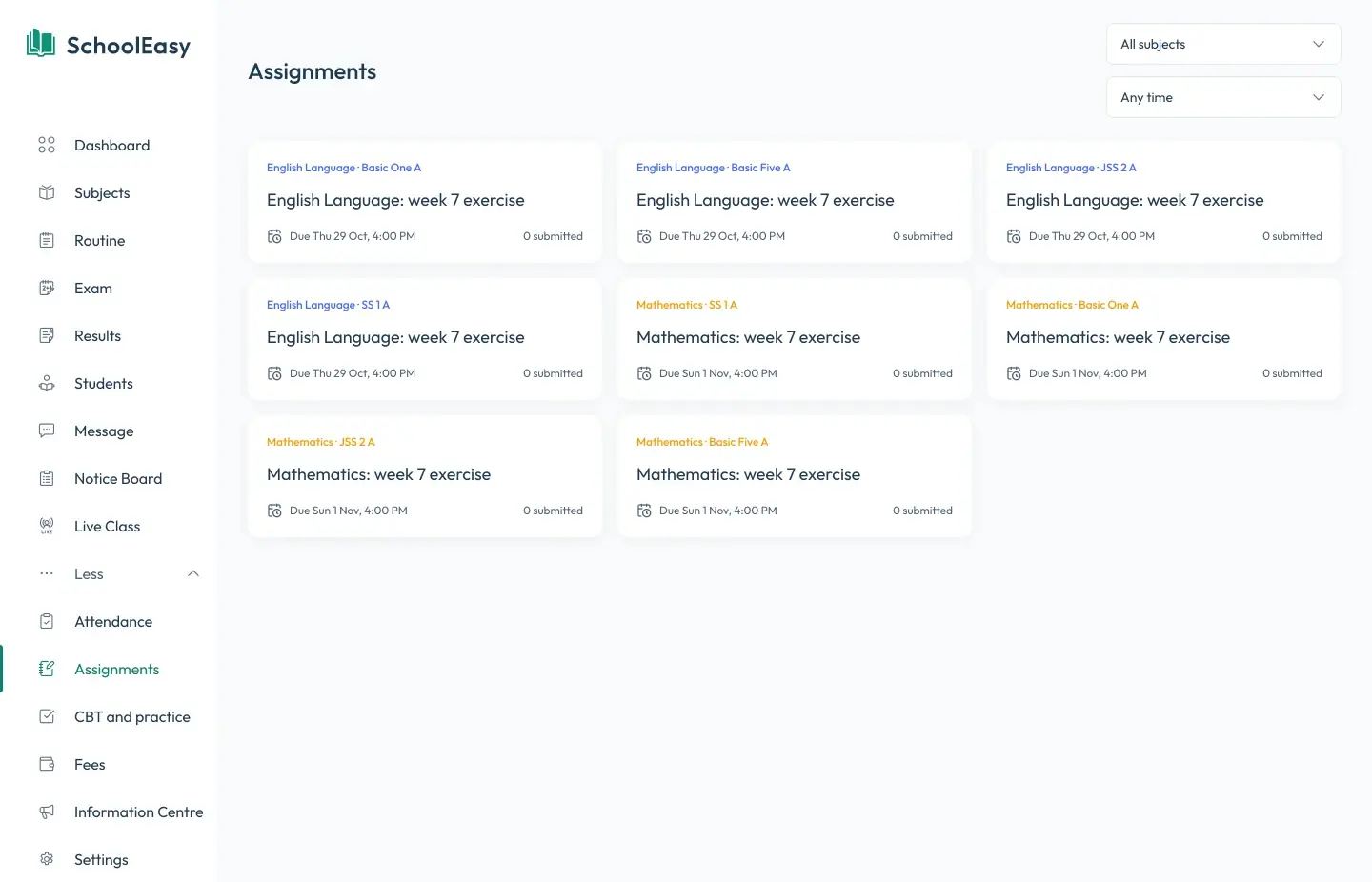
Teachers set homework with due dates, students submit online, and teachers grade each submission with a score and feedback.
- Due dates and online submissions
- Scores and written feedback
- Pending, submitted, and graded at a glance
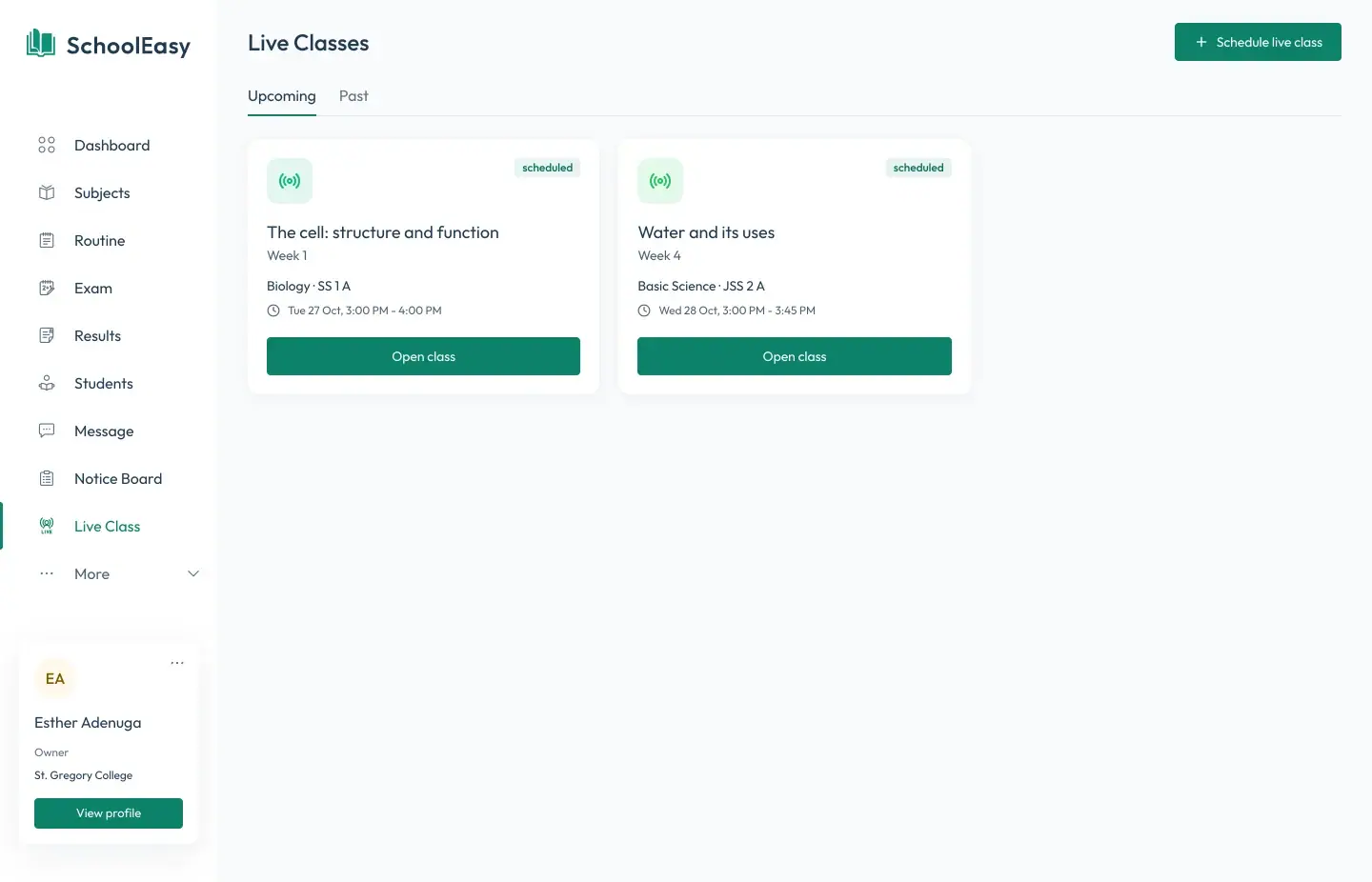
Live classes
Schedule live classes for any class and subject. Students join from the browser at the set time.
- Scheduled by class and subject
- Join from any browser
- Upcoming and past classes
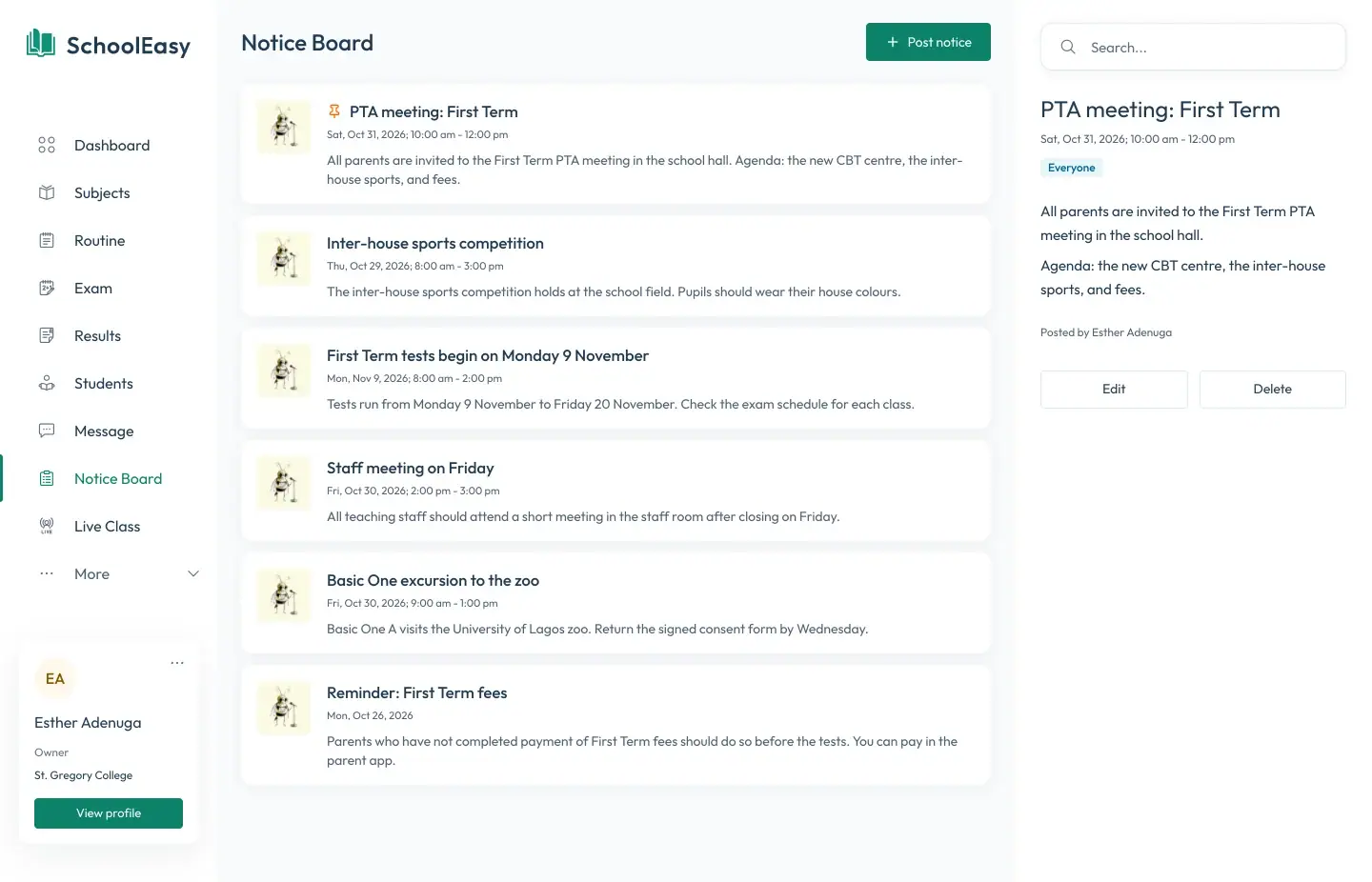
Notice board and messages
Post notices to everyone or to chosen groups, and message staff, students, and parents directly.
- Notices with dates and audiences
- Direct and group messages
- Push notifications in the parent app
Questions
Questions about features
Who uses SchoolEasy in a school?
Owners, admins, teachers, students, and parents. Each signs in to the same system and sees only what their role allows: a teacher sees their own classes, and a parent sees their own children.
Does it work on phones and tablets?
Yes. SchoolEasy runs in the browser on computers, tablets, and phones, and parents get a dedicated app for Android and iPhone.
Can SchoolEasy send text messages to parents?
Yes. Parents get a text message when their child is marked absent, and schools can send fee reminders by text as well as by app notification.
Which plan includes which modules?
Every plan includes records, results and report cards, attendance, timetables, and notices. CBT, lesson notes, Paystack fees, and the parent app come with Standard, and live classes and assignments with Premium. The pricing page has the full list.
Do you add new features?
Yes. Tell us what your school needs. New features reach every school on SchoolEasy as soon as they’re ready, with no upgrade to install.
School management made effortless.
We strive to build the best school management software for schools from all over the world.
Available soon on all digital platforms