School fees with Paystack
School fees management with Paystack
Unpaid fees are the most common cash-flow problem in a private school, and chasing them by phone is slow. Neither is helped by a bursary that matches bank alerts to students by hand.
SchoolEasy issues each student’s invoice for the term, lets parents pay online through Paystack, and keeps the school’s collected and outstanding totals up to date on their own.
Fee items for each class and term
Set tuition, development levy, PTA dues, uniforms, the school bus, and optional items such as extra lessons, for each class and term. SchoolEasy builds every student’s invoice from the items that apply to their class.
- Fee items by class and term
- Optional items, such as extra lessons
- Amounts in naira
Parents pay online, and the money goes to your account
Parents pay by card or bank transfer through Paystack. Each school links its own bank account, so payments settle to the school, not to SchoolEasy. Paystack confirms each payment, and SchoolEasy marks the invoice paid or part paid without anyone matching alerts.
- Card and bank transfer through Paystack
- Settles to the school’s bank account
- Invoices update on their own
Fees
First Term, 2026/2027
₦145,000
₦100,000 paid · ₦45,000 left
Card or bank (Paystack)
Part payments, cash, and receipts
Parents can pay in instalments, and the invoice shows what’s left. The bursar records cash and bank payments made at the school in the same place, and every payment, online or not, produces a numbered PDF receipt.
- Part payments tracked per invoice
- Cash and transfers recorded by the bursar
- Numbered PDF receipts
Know who owes what, and remind them
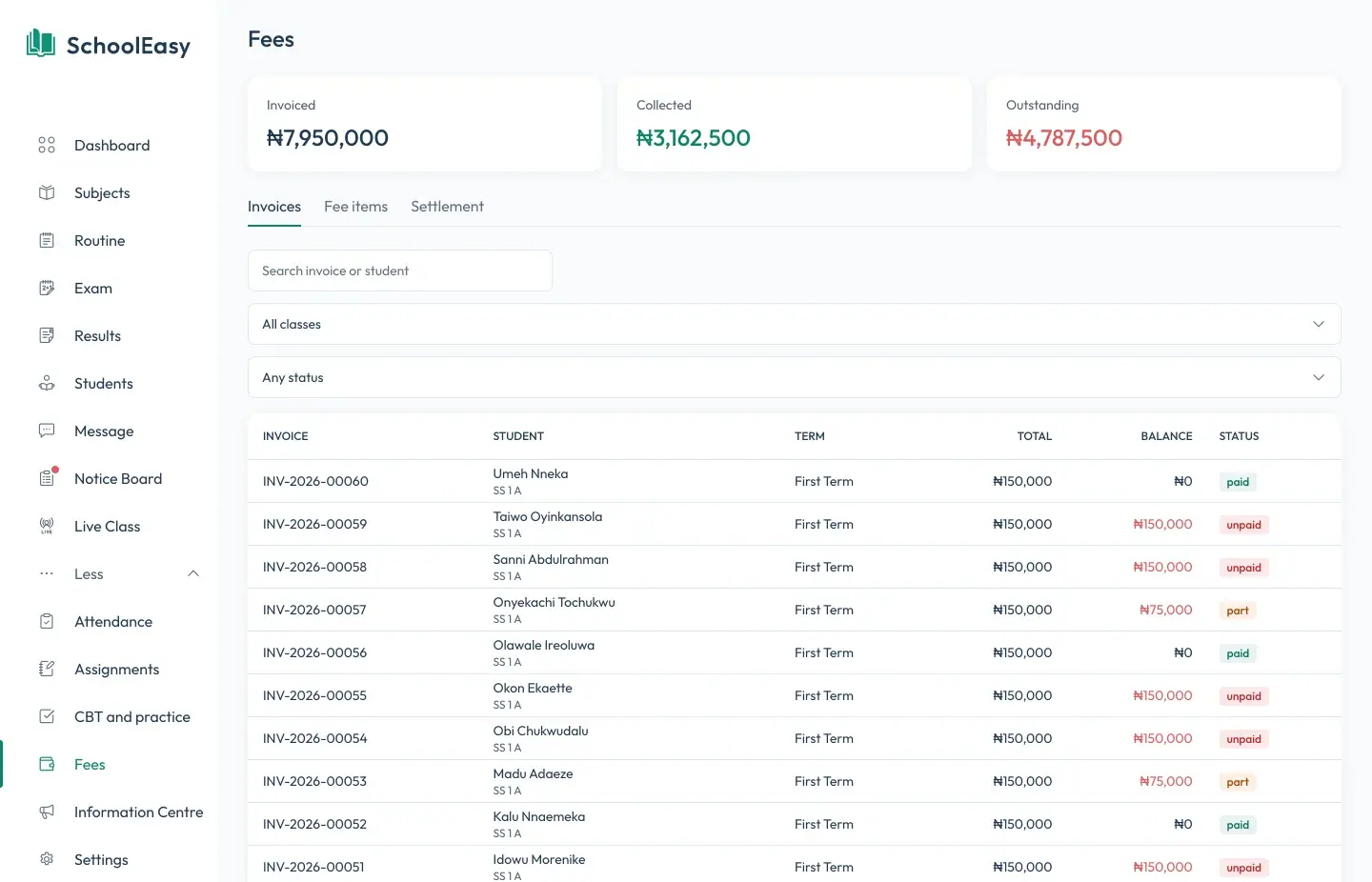
See invoiced, collected, and outstanding totals for the term at a glance, and by class. Fee reminders reach parents as app notifications and, where you turn it on, as text messages.
- Collected and outstanding totals
- Unpaid and part-paid invoices by class
- Reminders by app and SMS
In SchoolEasy
The features behind it
Questions
Common questions
Does the money pass through SchoolEasy?
No. Each school links its own bank account through Paystack, and fee payments settle to that account.
Can parents pay in instalments?
Yes. A parent can pay part of an invoice, and SchoolEasy shows the balance until it’s cleared.
What about parents who pay cash or transfer to the school’s account directly?
The bursar records those payments against the student’s invoice, and SchoolEasy issues a receipt just as it does for online payments.
Are there transaction charges?
Paystack charges its standard fee on online payments. We’ll go through the charges that apply to your school before you go live.
Can we send fee reminders?
Yes. Reminders reach parents as notifications in the parent app and, if you turn it on, by text message.
School management made effortless.
We strive to build the best school management software for schools from all over the world.
Available soon on all digital platforms